


rpc - Oct 26, 2006 1:00 am - Voted 10/10
Beautiful!great eye & photo.

Bob Sihler - Oct 26, 2006 10:52 pm - Hasn't voted
Re: Beautiful!Thank you!
Bob Sihler - Nov 9, 2006 11:50 pm - Hasn't voted
Re: WowThanks! That one really took off, to my surprise.

Sajama - Nov 23, 2006 1:54 pm - Voted 10/10
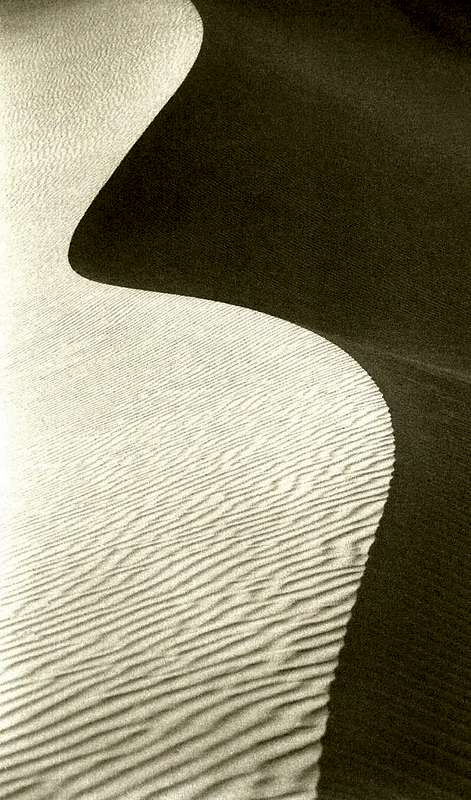
Impressive...abstract image!
Bob Sihler - Nov 23, 2006 3:06 pm - Hasn't voted
Re: Impressive...Thank you, Sajama. I like to play with shadows when I can, and this one seemed made for it. I'm glad you liked the shot.

tuntun - Dec 6, 2006 8:38 am - Voted 10/10
Simply beautyBeautiful enough. And wonderful too. I like it.. :) :) :)
Bob Sihler - Dec 6, 2006 11:15 pm - Hasn't voted
Re: Simply beautyThank you!

pcirani@tiscali.it - Mar 27, 2007 3:13 pm - Voted 10/10
I like....This picture! Compliments! Paolo
Bob Sihler - Mar 27, 2007 10:10 pm - Hasn't voted
Re: I like....Thank you very much! You have some very nice pictures yourself!

tanya - Dec 18, 2007 11:35 pm - Voted 10/10
ArtisticVery nice. :)
Bob Sihler - Dec 19, 2007 6:50 pm - Hasn't voted
Re: ArtisticThank you; I love the effects of shadows on dunes.
tanya - Dec 19, 2007 10:39 pm - Voted 10/10
Re: ArtisticI have never thought about trying to get the shadows. I will keep that in mind next time I am at the dunes. :)

VaughnH - Jan 6, 2008 11:08 am - Voted 10/10
My respectsto the photographer.
Bob Sihler - Jan 6, 2008 4:17 pm - Hasn't voted
Re: My respectsThank you!
Kenneth.alone - Apr 2, 2008 4:45 am - Hasn't voted
Well found...Unique enough to stand out of the masses. I like it a lot, i gave it a seven hoping you might clean up some of the scratches on it, increase the shadow contrast a little and remove the colours!
Good photo already though, maybe great...
Bob Sihler - Apr 2, 2008 8:47 am - Hasn't voted
Re: Well found...Thank you for both the compliments and the constructive criticism. I appreciate the explanation. The photo is a scan of a film print and loses some of the sharpness and contrast as a result (this photo was also from before I had a red filter). I might pull out the original print and use my image editor to make the contrast match the original, but I probably won't make the contrast stronger than the original, as I like to keep what I get and strive to do better with the camera rather than use the computer to get better results. I'm not being a purist, as I will use filters and control the aperture and shutter, but I prefer to do the work before the shot, not after it.
I would love to do something about the scratches, but I don't have a program that will let me do that (or I don't know how to use it if I do). I actually sometimes consider deleting this photo because of the scratches, which really stand out to me and detract from the image.
What colors do you mean?
Kenneth.alone - Apr 2, 2008 10:13 am - Hasn't voted
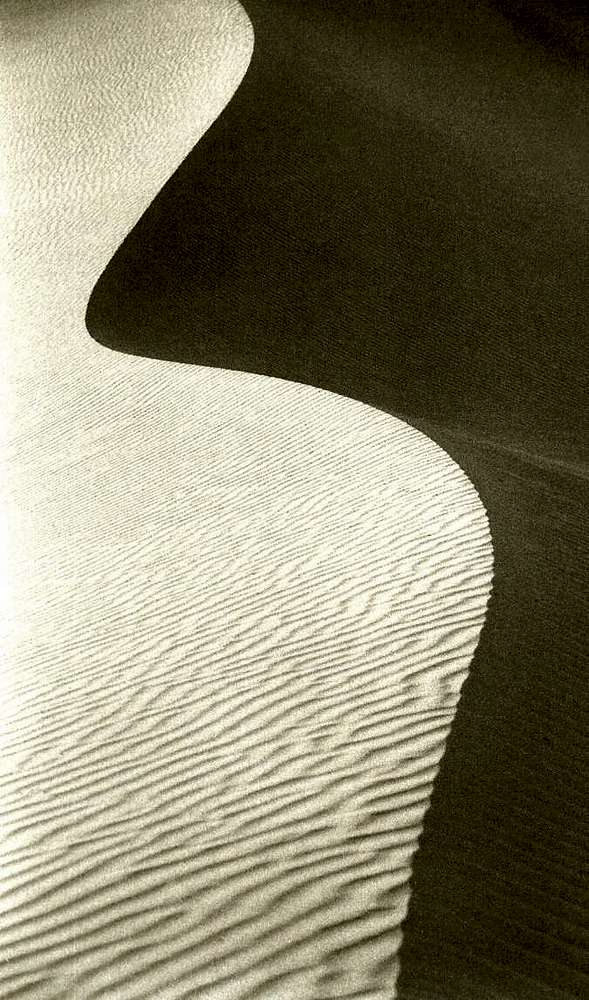
Mesquite flat with scratches removedHello Bob,
here is the URL to your your image with the scratches removed.
http://www.summitpost.org/view_object.php?object_id=393367&context_id=276799
Of course, i left all of the colours and contrast levels the same, just the scratches.
It is possible to replace the old image with this one without losing it's score or comments, there is help with that in the forums should you decide to do that.
Just maximize the image here by clicking on it and then right click and select "save image as" and then decide where you want it to go and you can then do what you like with it.
Just let me know when you have the photo and i'll delete it.
If for some reason the image doesn't come through feel free to e-mail me personally and i'll send it to your personal address.
kenneth.alone@gmail.com
Anyway, Hope it helps.
Bob Sihler - Apr 2, 2008 11:03 am - Hasn't voted
Re: Mesquite flat with scratches removedIt's done now. Thank you very much. the picture looks so much better now!
What program do you use? I really might have to get something like this to clean up other scanned images.
Thank you again.
Kenneth.alone - Apr 2, 2008 11:09 am - Hasn't voted
No problem...i used Adobe Photoshop CS3. It is the best of them but the price tag is awful. You might be able to find a free and legal version of corel's paintshop pro. They give the older versions away on their site and it will do the job just as well.
I deleted the page, have a good one, Kenneth
Bob Sihler - Apr 2, 2008 11:32 am - Hasn't voted
Re: No problem...I'll look into that. Thanks again.
Bob


Comments
Post a Comment